
Post Processing Tips
Exploring Lecode Output
For each <outputTime> step, Lecode generates a series of output files. These files are stored on a local folder which name is defined in the <struct-output> structure within the XmL Input file.
The <OutputDirectory> contains two subfolders:
runfiles which contains information for checkpointing and restart.
outputs which contains information about stratigraphy, flow walkers and TIN.
The outputs directory mostly contains binary HdF5 files written at each time step and for each processor. For each time step, these Hdf5 files are bundle within a XmF file containing the collection of attributes (both for nodes and cells). On top of the output structure, a Xdmf file is used to wrap time-series informations.
To visualise Lecode results a visualisation platform able to read these types of files is required. We recommend using Paraview or Visit .
To start looking at your outputs and the model evolution through time, it is only necessary to load the _series.xdmf files. Depending on the set of parameters defined in your simulation, the following time series files will exist:
Stratal_series.xdmf file containing a combination of the Stratigraphic information (mean grain size, sediment proportion, cell thicknesses, layer time...) over all processors and for all time steps;
TIN_series.xdmf file containing the Triangular Irregular Network grid information for all time steps and the associated flow accumulation dataset;
FW_series.xdmf file containing the Flow Walkers information (flow velocity, stream width and depth ...) over all processors and for all time steps;
Ocean_series.xdmf file representing Sea Level fluctuations (if any) for all time steps.
To look at simulation results such as time series, XmF and XdmF files we recommend to use Paraview.
ParaView is an open-source, multi-platform data analysis and visualisation application built on top of VTK.
In addition to the built-in filters and functionalities embedded in this visualisation software, we have developed several post-processing scripts based on NumPy and VTK libraries.
These scripts help to generate additional informations from Lecode simulation (e.g., consecutive time stepping elevation differences to estimate erosion - deposition surfaces through time, or cumulative thickness computation for specific types of materials).
Feel free to contact us if you want to get some of these scripts, we will be happy to share ...
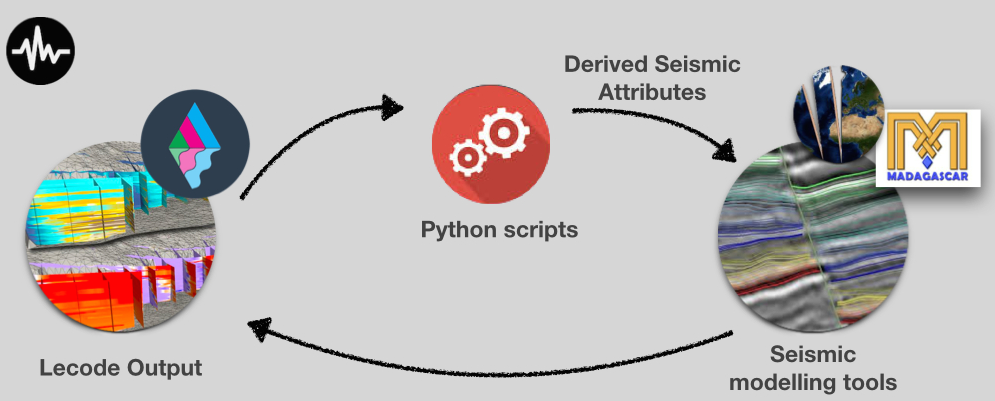
Lecode Seismic Plugin makes it possible to extract a given cross section within the modelled stratigraphic record along the main axes of the domain. Two files are generated by Lecode in the runfiles output folder.
The first records for each node along the desired seismic line: its position on the stratigraphic layer, its mean grain size and its porosity value.
The second gives the envelop (bottom and top locations) of the stratigraphic record.
Below we provide a seismic script which shows a really simple example of workflow that can be used to extract the seismic attributes from the model for further processing in a seismic modelling framework such Fatiando or RSF Madagascar.
Our future goals are to develop some algorithms based on geophysical forward modelling, uncertainty quantification and inversion to minimise global mismatch between stratigraphic predictions and observations.
The RMSModel Plugin is designed to facilitate the export of Lecode outputs into a geo-cellular model. This later can then be used to perform reservoir and fluid flow modelling.
Lecode created geo-cellular models have been successfully exported and tested with:
Roxar RMS geological modelling package and,
TemisFlow a multi-dimensional basin modelling package from BeicipFranlab.